
Introduction
In this lesson, we discuss three loop statements that can be used in your program to repeat certain pieces of code: the for-in loop, the while loop, and the repeat-while loop.
for-in loop
Used with range operators
The for-in loop can be used when you know in advance how often you need to repeat certain statements. The following piece of code illustrates the basic use of the for-in loop:
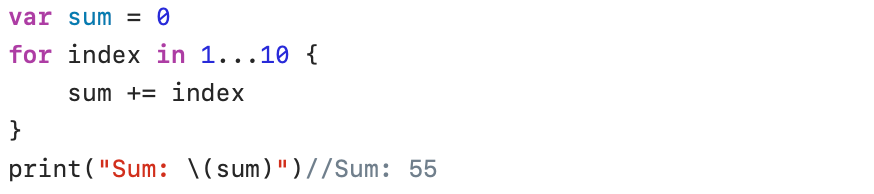
The expression 1…10 defines a range that runs from 1 to 10 (including start (1) and end (10) values). The … is known as the closed range operator.
In the for-in loop, the constant index starts at 1, and this value is used to increment the variable sum. At the end of the first for-in loop, the value of index is incremented to 2, and the variable sum is now incremented by 2. And so this continues 10 times.
In the for-in loop, index is automatically declared to be a constant. In that case the let keyword is not needed.
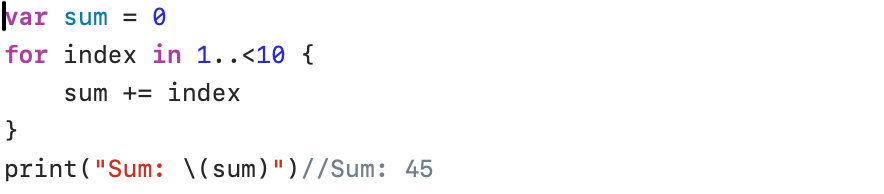
When using the half-open range operator ..<, the end value will not be included. In the next example the last value (10) is not added to the sum.
Used with Arrays
The for-in loop is very powerful when iterating through data in Arrays, Sets, and Dictionaries. We will illustrate this with a few examples.
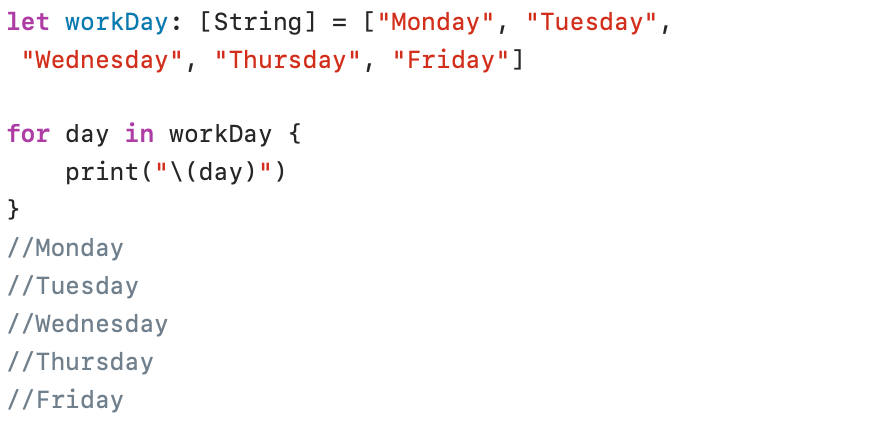
To print all days from the workDay Array, we only need to refer to the name of the Array. The day constant is used to store the name of one specific day of the week.
With the traditional programming style we know from other languages, we can easily access each individual element in the array via the index:
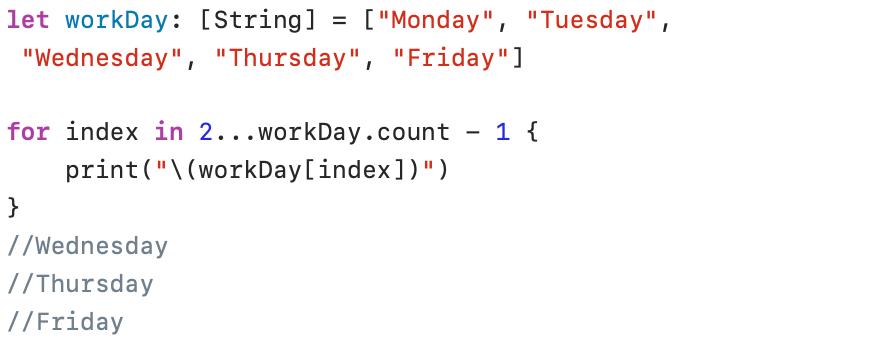
In the example above, we defined a range between the second workday (Monday = 0, Tuesday = 1, Wednesday = 2) and the last item in the Array (workDay.count – 1).
But we can also define ranges as a subscript. Take a look at the following example:
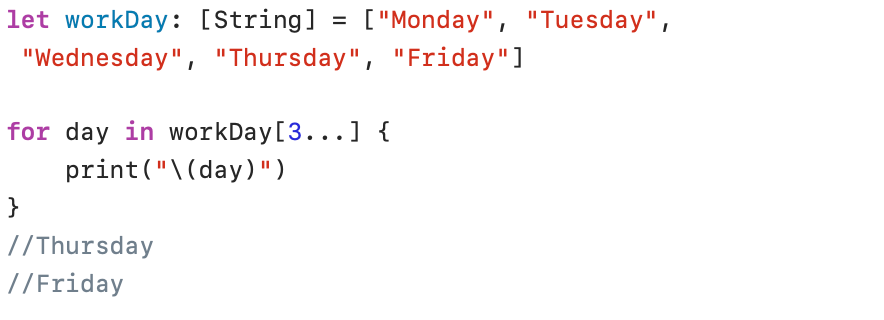
In the example above, we used a one-sided range starting from the third item in the Array and extending to the end of the Array.
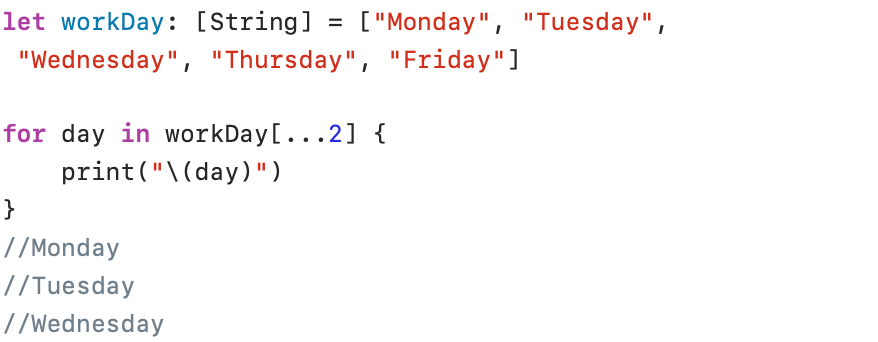
And in the same way, we can start at the beginning of the Array and continue to a specific item:
Used with Sets
In the following example, a for-in loop is used to print all elements in the Set:
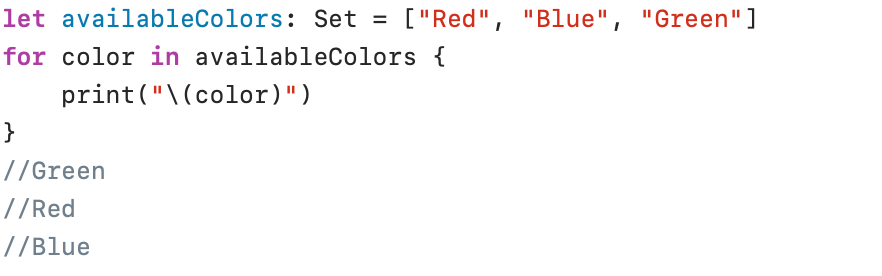
Because the data items in a Set have no fixed position (unordered), it is impossible to use a subscript to access specific elements.
Used with Dictionaries
A Dictionary element consists of two items: a key and a corresponding value. When you access a Dictionary item two values are returned (key, value). This is called a tuple. Since neither return value in the tuple has a name, you can define your own names to store the returned values. An example can make this clear:
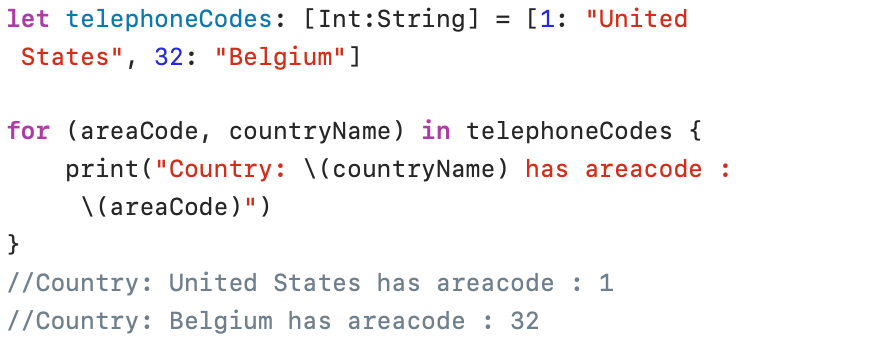
In the example above, the key is stored in the constant areaCode and the name of the country in the constant countryName.
while loop
A while loop can be used when the number of iterations is unknown in advance. In the while loop, the number of iterations is determined as long as a certain condition is true. The loop is terminated as soon as the condition is false. The following example illustrates the operation of the while loop:
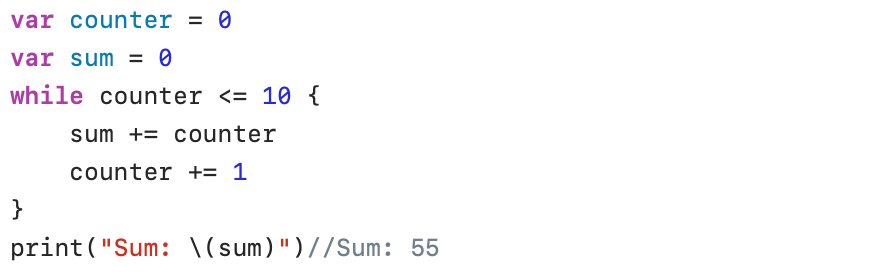
In the example, the loop continues to run as long as the condition counter <= 10 is true. As soon as the variable counter becomes greater than 10, the loop is terminated.
Note that the loop would not start if the variable counter is initialised with the value 11.
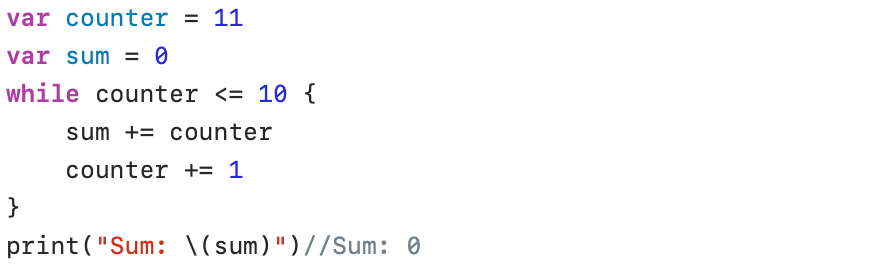
In addition, care must always be taken to ensure that one or more values used in the while condition change during the loop.
repeat-while loop
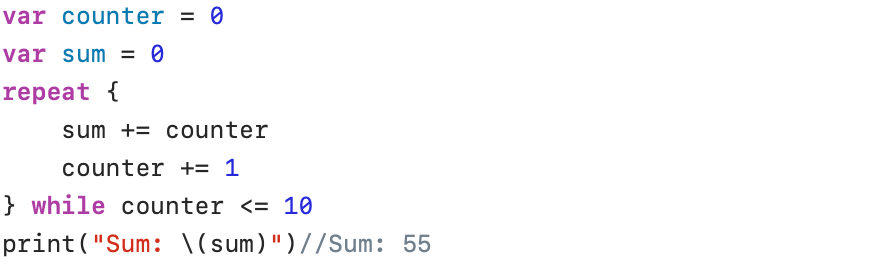
The repeat-while loop is very similar to the while loop. In a repeat-while loop, the condition is checked only at the end of the iteration. In this case, the iteration statements are executed at least once.
In the following example, the sum of the first 10 numbers is calculated using a repeat-while loop:
And just check what the result of the calculation is if the variable counter starts with the value 11:
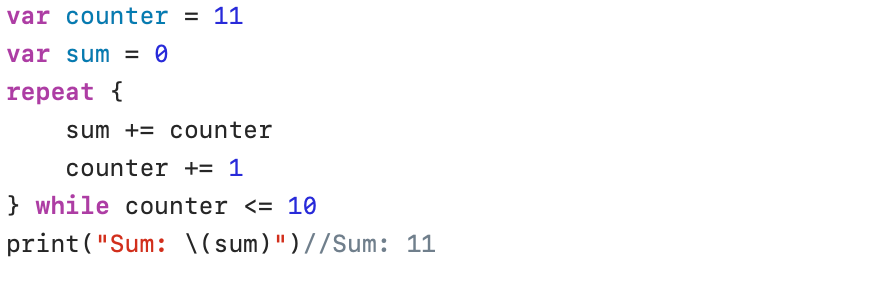
This was presumably not the intention!
break
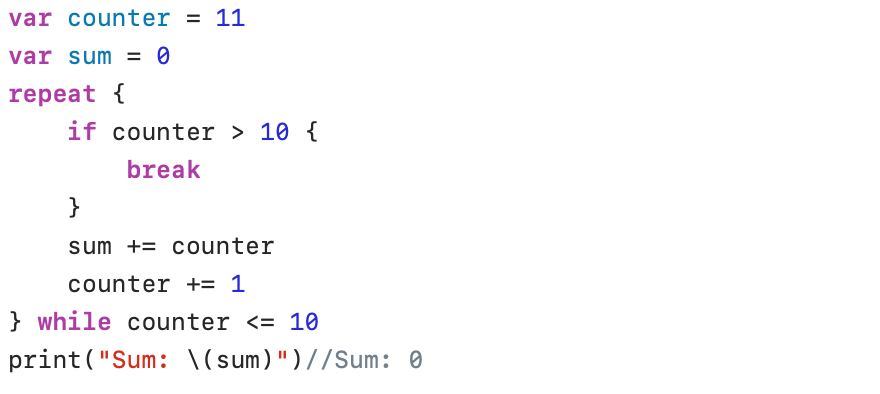
You can, of course, solve the previous problem by adding an extra check in the loop. The break statement terminates the loop if counter > 10 and executes the statement after the loop:
continue
The break statement ends the iteration and continues with the statement that follows the loop. The continue statement, on the other hand, interrupts the running loop and continues with the next iteration. In the following example, we want to print all numbers between 500 and 550 that are divisible by 7. If a number is not divisible, we proceed to the next iteration with the continue statement, and the next number is checked.
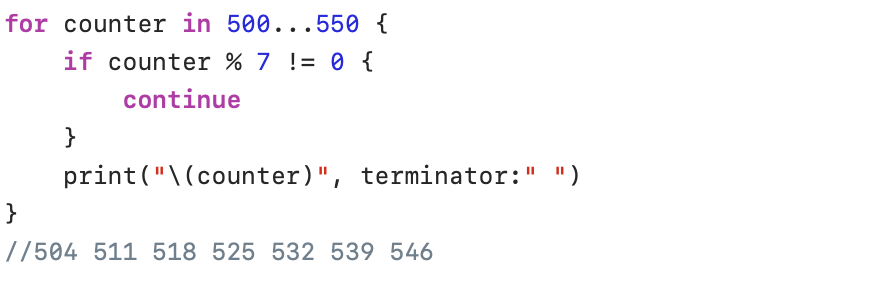
In the print(_:separator:terminator:) function, used in the example above, we have set the terminator parameter to” “. The default parameter of the print() function is “\n” (new line). With the terminator parameter you can redefine new line to be any other character.