Introduction
A function can be described as a self-contained piece of code that performs a specific task. Functions can be reused in multiple places within a program or even in other programs.
In this lesson, we describe how a function can be defined and how a function can be called in a program.
An easy function
Define a function
A name is assigned to each function. The name describes what the function does. The keyword func starts the definition of a function:

De function starts with the keyword func followed by the function name (displayMessage) and parentheses (()). The task of our function is to print a welcome message.
Call a function
The function name (displayMessage()) must be used to call the function:

Define a function with parameters
With a parameter name
A program very frequently passes data to a function. This input can then be used by the function. The data passed to a function are called parameters. The name and data type of the parameters are enclosed in parentheses after the function name. Multiple parameters are separated by commas.
In the following example, we want to print a personalized message by placing the person’s name in front of it:

In the function definition, we now indicate that a String named name is passed as input. name is a constant and cannot be changed in the function.

When calling the function, we must use the same parameter name (name) to pass the person’s name to the function displayMessage(). The input value (“Anna”) is called an argument.
With an argument label
To make the function even more readable, argument labels can be used. Argument labels are placed before the parameter name, separated by a space.

In the previous example, the parameter name is name and the word to is the argument label. Now we need to call this function as follows:

This statement actually looks like a sentence now. Do you agree?
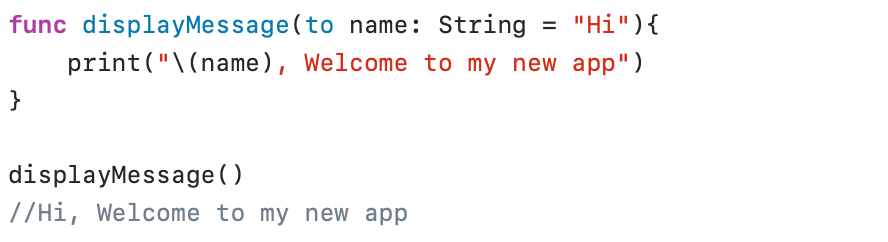
If the person’s name is not available, you can use the option to provide a default value for the name parameter:
Omit argument label
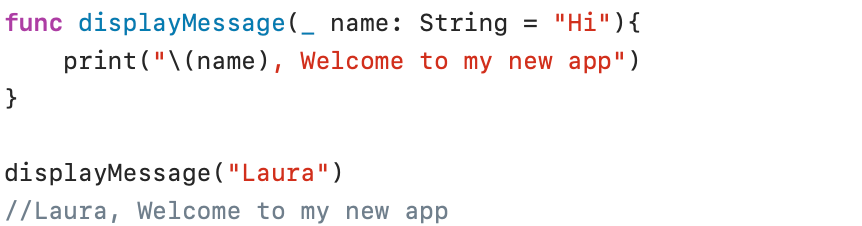
The name of an argument can be omitted in the calling program by writing an underscore (_) before the name of the parameter:
Define a function with a return value
The displayMessage() function only shows a welcome message and ends. In many cases, a function must also return calculated results to the calling program.
With one return value
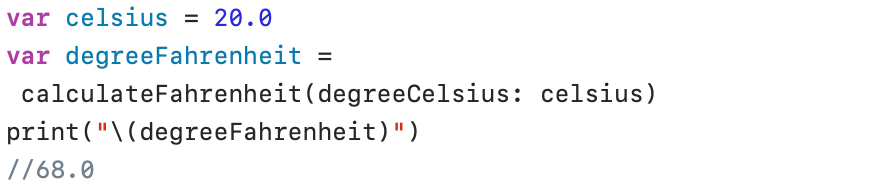
The following function converts degrees Celsius to degrees Fahrenheit. The result of the calculation is returned to the calling program by the return statement:
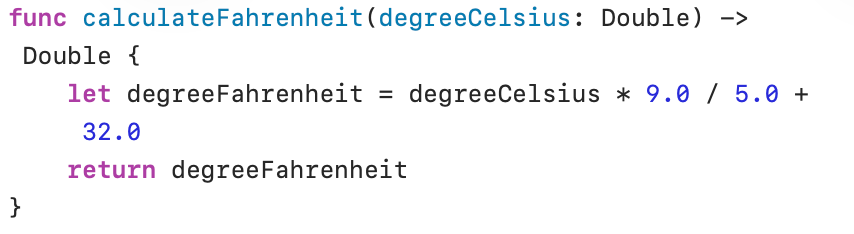
In the function definition, the type of the return value (Double) is indicated after the -> sign. The function converts the value provided by the parameter degreeCelsius to the value degreeFahrenheit . The calculated value is returned to the calling program and stored in the variable degreeFahrenheit:
With multiple return values
The following function calculates the minimum and maximum of an Array of numbers. At the end, both results are returned to the calling program:
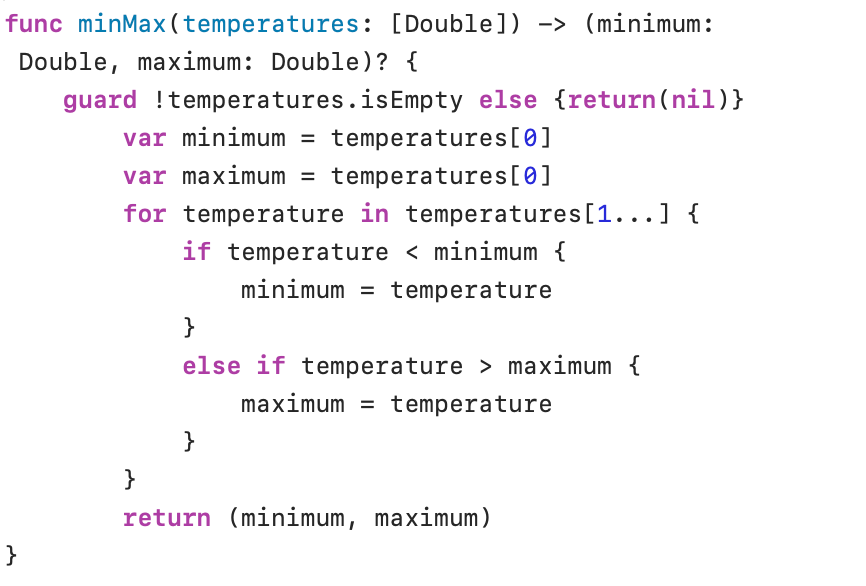
The function definition refers to two return values: minimum and maximum. Both return values are of type Double. The question mark (?) after the definition of the return values indicates that a return value is optional. This is because the list of numbers can be empty, meaning that no minimum or maximum can be calculated.
The guard() statement in the minMax() function checks whether the supplied temperature Array is not empty. If this is the case (true), the function continues; if this is not the case (false), nil is returned to the calling program.
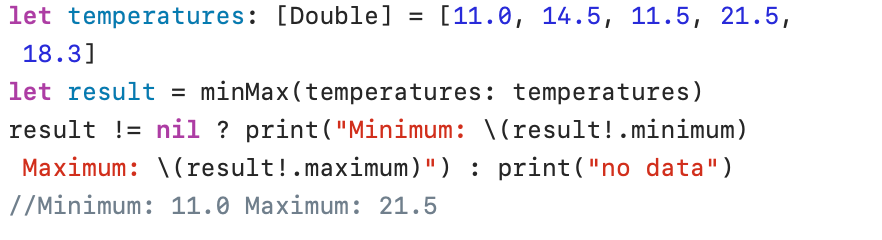
The minMax() function returns either nil or a tuple (result) with two values: minimum and maximum.
The ternary conditional statement checks whether the result value is not nil. If this is true, the minimum and maximum values are retrieved from the tuple (result.minimum! and result.maximum!). The exclamation mark (!) indicates that the check for optional values has been performed and that the tuple therefore definitely contains values (this is called force unwrapping). If the ternary conditional statement evaluates the result as nil, the text “No data” is printed.
Define a function with variadic parameters
A variadic parameter accepts zero or multiple values of a specific type. A variadic parameter is defined by placing three dots (…) after the parameter type. The processing of a variadic parameter is done in the same way as the processing of an Array of the same type:
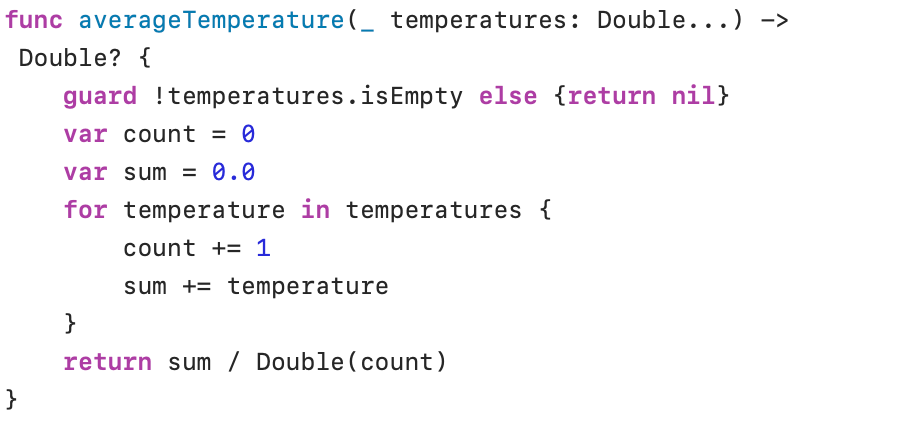
In the following screenshot we use the function with three arguments:

And in the following screenshot we call the averageTemperature function without arguments:

Define a function with inout parameters
It is not possible to change function parameters within a function. This is because all function parameters are always constants. In the rare cases where you want to enable the ability to change a parameter value in a function, you can use inout parameters. And a good tip: use inout parameters as little as possible.
If you want to sort a series of numbers in ascending order using the Bubble Sort algorithm, you must swap the position of two numbers if the second number is smaller than the first. In this case, you can use a swap function as follows:
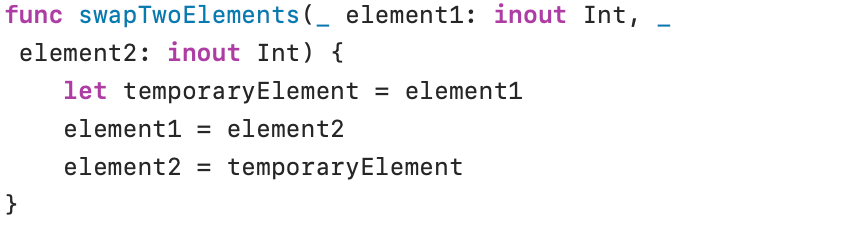
In the screenshot above, element1 and element2 have been defined as inout parameters.
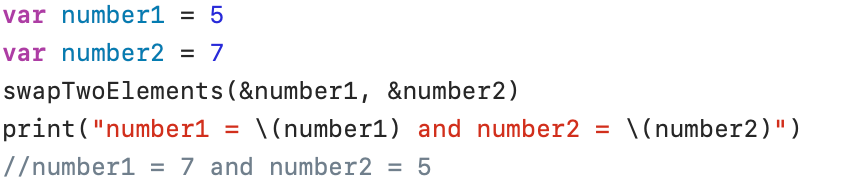
When calling the swapTwoElements() function, the inout arguments must be preceded by an ampersand (&).
Use a function as a parameter
Type of a function

The type of a function is determined by the parameter type in combination with the return value type. The type of the function calculateFahrenheit() is (Double) -> Double. This means that the function calculateFahrenheit() receives one Double value as input parameter and a Double as return value.
A function can be assigned to a variable or constant if both function types are equal. The following statement is therefore completely correct:

calculateFahrenheit() has the same function type ((Double) -> Double) as the function type defined for newFunction.
Now you can also call newFunction() to calculate degrees Fahrenheit:

It’s easy to understand that you can use a function as a parameter of another function. Only the function types must be the same.
A function as a parameter
I have created three functions to convert temperature data to another temperature scale (Celsius, Fahrenheit or Kelvin):
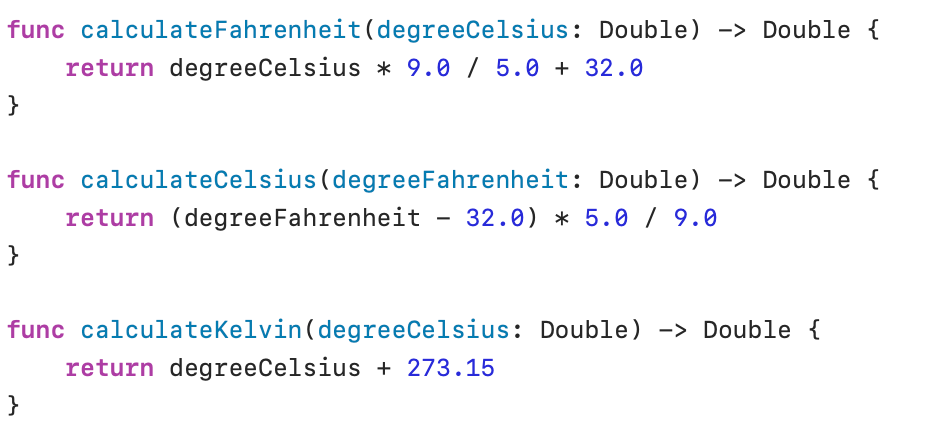
The type of these three functions is (Double) -> Double.
The following function printResult() has three parameters: a function named degreeConvertor (type (Double) -> Double), a String named conversion and a Double named degree). The parameter conversion is used to define the conversion method (“CtoF” = Celsius to Fahrenheit, “FtoC” = Fahrenheit to Celsius, “CtoK” = Celsius to Kelvin). The parameter degree receives the original value to be converted:
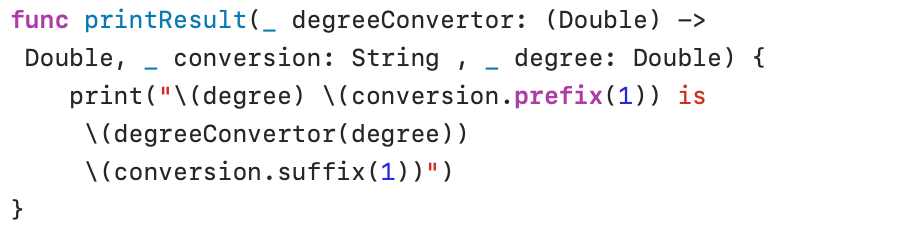
prefix(_:) and suffix(_:) return the specified number of characters at the beginning and end of a String.
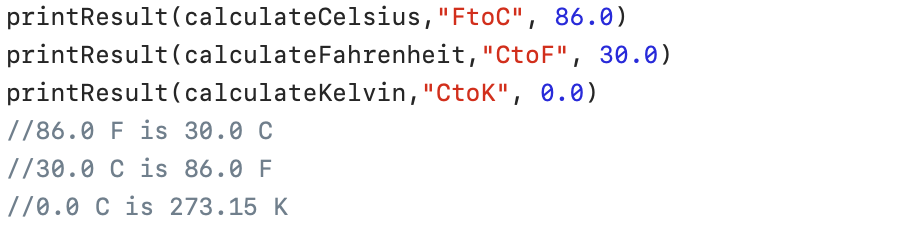
When calling printResult(), the correct conversion function is assigned to the degreeConvertor parameter. This is possible because the function types are the same.