
Introduction
Conditional statements are used to control the program flow. In this lesson we will discuss three important conditional statements available in Swift: if, if…else and switch.
if statement
The if statement evaluates a condition. If the condition is true, then the code within the if statement is executed. If the condition is false, the code following the if statement is executed.
The following table lists the comparisonoperators used to compare two items in a condition:
| Operator | Description |
|---|---|
| == | left and right items are equal to each other |
| != | left and right items are not equal |
| > | left item is greater than the right item |
| >= | left item is greater than or equal to right item |
| < | left item is less than the right item |
| <= | left item is less than or equal to the right item |
The == sign is used to compare two items. The = sign is used to assign a value to a constant or variable.
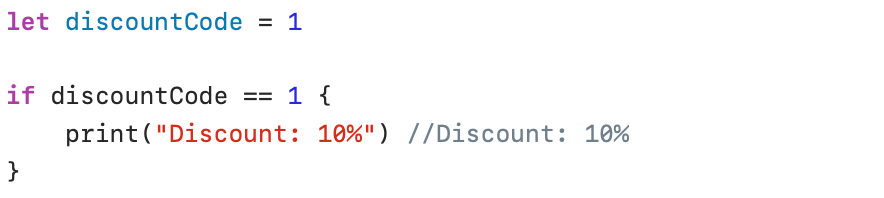
In the following example, customers with discountCode == 1 receive a 10% discount:
Two conditions can be combined with the following logical operators:
| Operator | Description |
|---|---|
| && | AND operator: two conditions must be true |
| || | OR operator: one condition must be true |
| ! | NOT operator: reverses the value of a boolean expression |
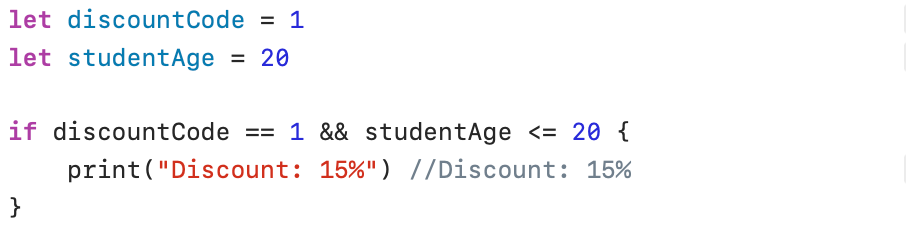
In the following example, students with a discount code of 1 AND aged 20 or younger receive a 15% discount:
if…else statement
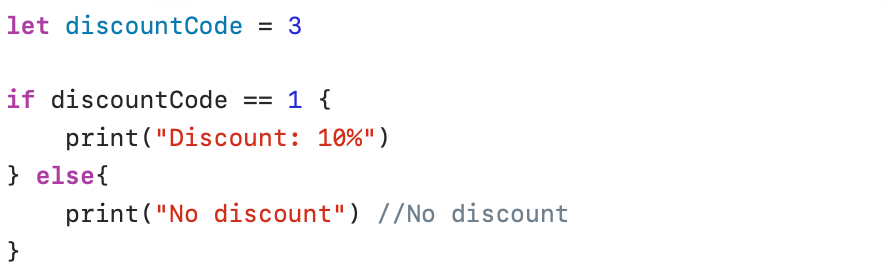
In the if…else statement, the if block is executes if the condition is true and the else block is executed if the condition is false.
The following code snippet displays the text No discount because the value of the constant discountCode is not equal to 1:
Shorthand notation
The if…else construct is sometimes written in shorthand notation using the ternary conditional operator (?:). The shorthand notation consists of three parts: the question (discountCode != 1), the answer if the statement is true (print(“No discount)), and the answer if the statement is false(print(“Discount: 10%”) ).

What does the above instruction display?
Multiple conditions
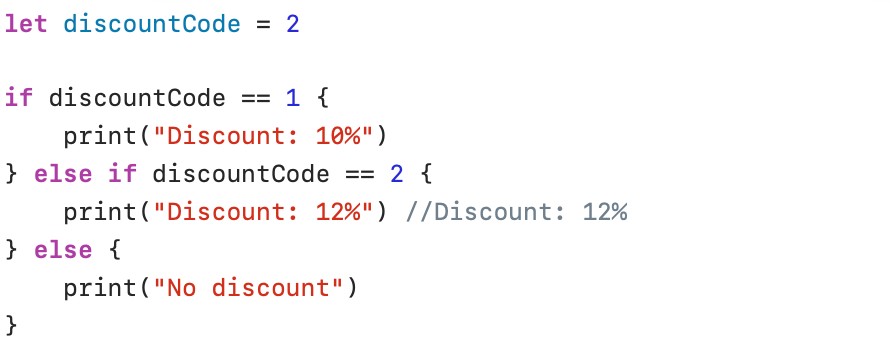
The else if construct allows you to check multiple conditions within one single if statement:
Switch statement
A combination of multiple if … else if…else statements can sometimes be very confusing and is usually difficult to read. In this case, the switch statement offers a simpler solution.
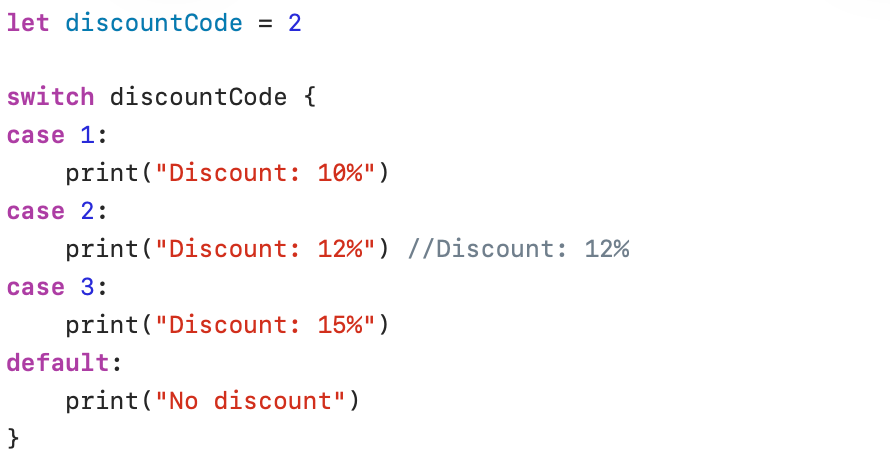
In a switch statement, a value is evaluated, and separate statements are defined for each value (case). A default case is provided for values that are not defined in any of the cases.
Take a look at the following screenshot and consider how simple and readable this statement is; then compare it to the complicated structure you would have to write for this example using the if…else if…else construct
It is also possible to test multiple options in a single case. In the following example, the first case checks whether the discountCode is equal to 1, 3, or 6. In the third case, the range indicator is even used, where the discountCode is tested for the values 3, 4, and 5:
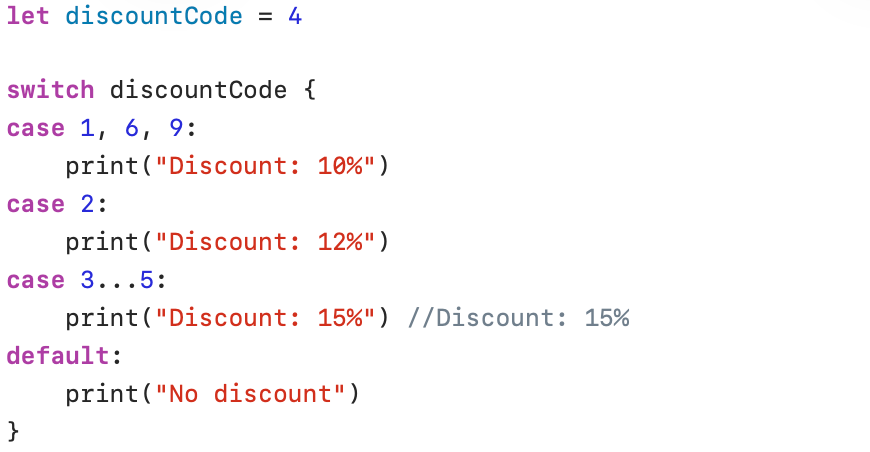
Swift enforces very strict rules regarding the use of the switch statement. The compiler is very thorough and checks whether all possible values are covered!